


Not a fan of reading or maybe in the car? Listen to the article here:
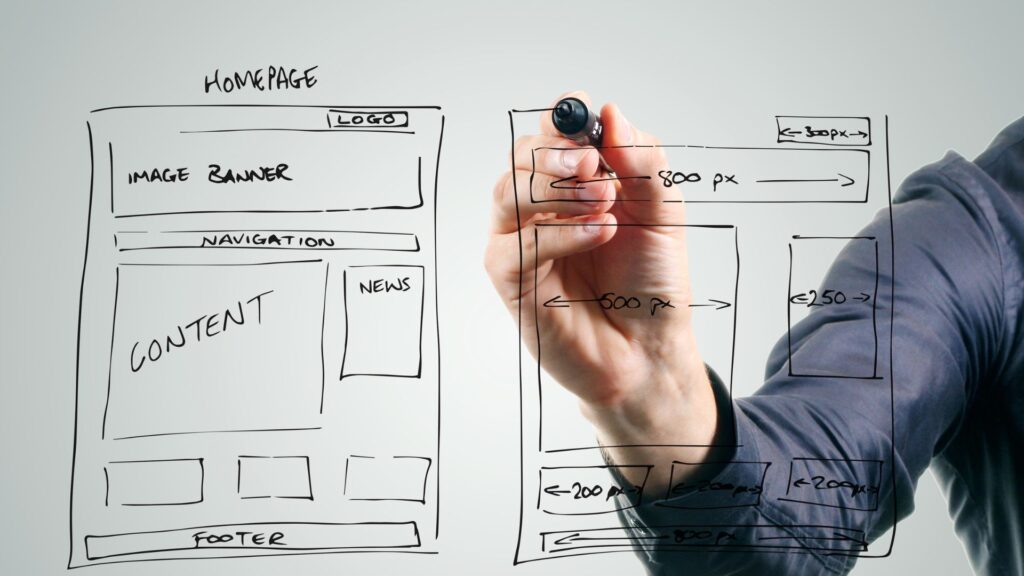
In over two decades of helping businesses get online, one truth has stayed the same: your website isn’t just a brochure—it’s the beating heart of your business. Yet too often, small service businesses treat it like an afterthought, and scaling companies scramble to upgrade when it’s already too late.
In this guide, we’ll walk through the must-have website essentials every business needs—from launch day to their next growth phase—and how a little planning up front can save you thousands in time, stress, and rework later on.
1. The Digital Foundation: What Every Business Needs to Get Online
Whether you’re a local plumber or a boutique marketing agency, every business website starts with a few non-negotiables:

- Domain name (preferably short, memorable, and brand-aligned)
- Reliable hosting provider
- Content Management System (CMS) like WordPress, Webflow, or Shopify
- SSL Certificate (because security and trust start at the browser bar)
- Mobile-responsive design – over 60% of web traffic is now mobile
Pro tip from 20 years in the trenches: Choose tools that integrate well with others. It’s not just about building a site—it’s about building a system that can evolve.
2. Service-Based Businesses: Getting the Basics Right

For small service providers, your website needs to answer three questions instantly:
- Who are you?
- What do you offer?
- Why should I trust you?
Essentials for this group include:

- Clean design with strong visuals
- Local SEO-optimized pages
- Clear calls-to-action (CTA): Book Now, Get a Quote, Schedule a Call
- Integrated calendar or booking systems
- Testimonials and trust badges
Case Insight: We helped a local electrician rework their outdated DIY site. We developed a fast and responsive website design with a user-experience (UX) built around conversions and local intent, along with helping them get Google reviews – conversions jumped 38% in 3 months.
3.Planning for Growth: Scalable Infrastructure from Day One

Here’s where many businesses drop the ball. They build a site that works for 2025, but not 2026 and beyond. If you’re planning to grow (and you should be), lay the groundwork now:
- Modular web design: easy to add pages and features
- Scalable CMS: WordPress with proper plugins, or Webflow for visual scalability
- Data capture: Integrate with CRMs, email tools, and analytics from the start
Real Talk: One of our clients doubled their services and needed eCommerce overnight. Because we had modular design and a solid CMS, we spun it up in 48 hours. No replatforming. No lost traffic.
4. When Growth Hits: Infrastructure Needs for Scale-Ups

Now traffic’s booming, leads are pouring in—and your site starts crawling. Time to upgrade:
- Move to VPS or Dedicated Hosting
- Integrate a Content Delivery Network (CDN) for faster load speeds globally
- Add Load Balancing: spread traffic evenly to avoid crashes
- Enable Autoscaling: especially if you’re launching campaigns or expecting spikes
These aren’t just tech buzzwords—they’re survival tools. Companies like Netflix and Shopify thrive because they planned for growth long before they hit scale.
Industry Insight: A client launched a viral product. Their shared hosting crashed under the load. Within days, we moved them to a cloud-based, load-balanced infrastructure—and they kept the momentum going.
5. The Cloud Advantage: Why Cloud Hosting is a Game-Changer
Remember when hosting meant renting space on one server and praying it wouldn’t crash? Those days are gone. Cloud hosting has changed the game completely.
Take this scenario: You’re running a marketing campaign. Suddenly, traffic spikes. With traditional hosting, your site might go down or slow to a crawl. But with cloud hosting? It just flexes. No panic. No downtime.
Here’s why more businesses are making the switch:
- Flexible Pricing Models let you pay only for what you use—scaling costs with your needs.
- Remote Management gives your team access to tools and dashboards from anywhere.
- Instant Scaling means you can handle high traffic periods without having to pause and upgrade manually.
Even better? Platforms like AWS, Google Cloud, and DigitalOcean are no longer intimidating. Their interfaces have improved, and many offer templates or white-glove migration help.
Quick Tip: If you’re moving from shared hosting, don’t wing it. Choose a provider that supports guided migration or offers extensive documentation. That way, your transition is smooth and secure.
The cloud isn’t just about being modern—it’s about being ready.
6. Security and Compliance: Don’t Wait for a Crisis

Cybersecurity is like insurance—no one wants to think about it until it’s too late. But for your website, especially one collecting leads or processing payments, it’s non-negotiable.
Imagine this: A hacker gets in. Your contact forms stop working. Customers can’t reach you. Your reputation takes a hit. Now what?
Here’s what to set up from day one:
- Firewalls and anti-malware tools that monitor threats in real-time
- Automated backups—ideally stored in the cloud so you can recover instantly
- Compliance safeguards for data regulations like GDPR and CCPA
Real Story: One of our clients thought they were too small to be targeted. One weekend, their site was hijacked with a phishing scheme. It took us 72 hours to clean it up. After that, we rebuilt with stronger defenses and a cloud-based backup system. No problems since.
Security doesn’t have to be complex. It just needs to be consistent.
7. Optimization Never Ends: Monitor, Tweak, Repeat

Let’s talk longevity. The sites that last aren’t the ones that launched perfectly. They’re the ones that keep evolving.
Think of your site like a garden. You plant the seeds (launch), but you’ve got to water, prune, and occasionally replant to keep things thriving.
Here’s how to keep growth healthy:
- Use Google Analytics and Search Console to track how visitors find and use your site.
- Run A/B tests on headlines, CTAs, and layouts—small changes can lift conversions.
- Audit site speed quarterly using tools like GTmetrix or PageSpeed Insights.
One of my longest-standing clients checks metrics monthly and makes adjustments quarterly. Their bounce rate dropped 22% in the past year just from small UX and copy tweaks.
Bottom line: your website should never be static. It should learn, adapt, and grow with your business.
Conclusion: Build Smart, Scale Smarter
Your website should grow as fast as you do—without holding you back. Whether you’re just getting online or preparing for explosive growth, the key is planning with purpose. Choose tools that scale, build a flexible foundation, and never stop optimizing.
Because a website isn’t just a digital storefront—it’s the infrastructure of your future success.